











💻 Payments to Send
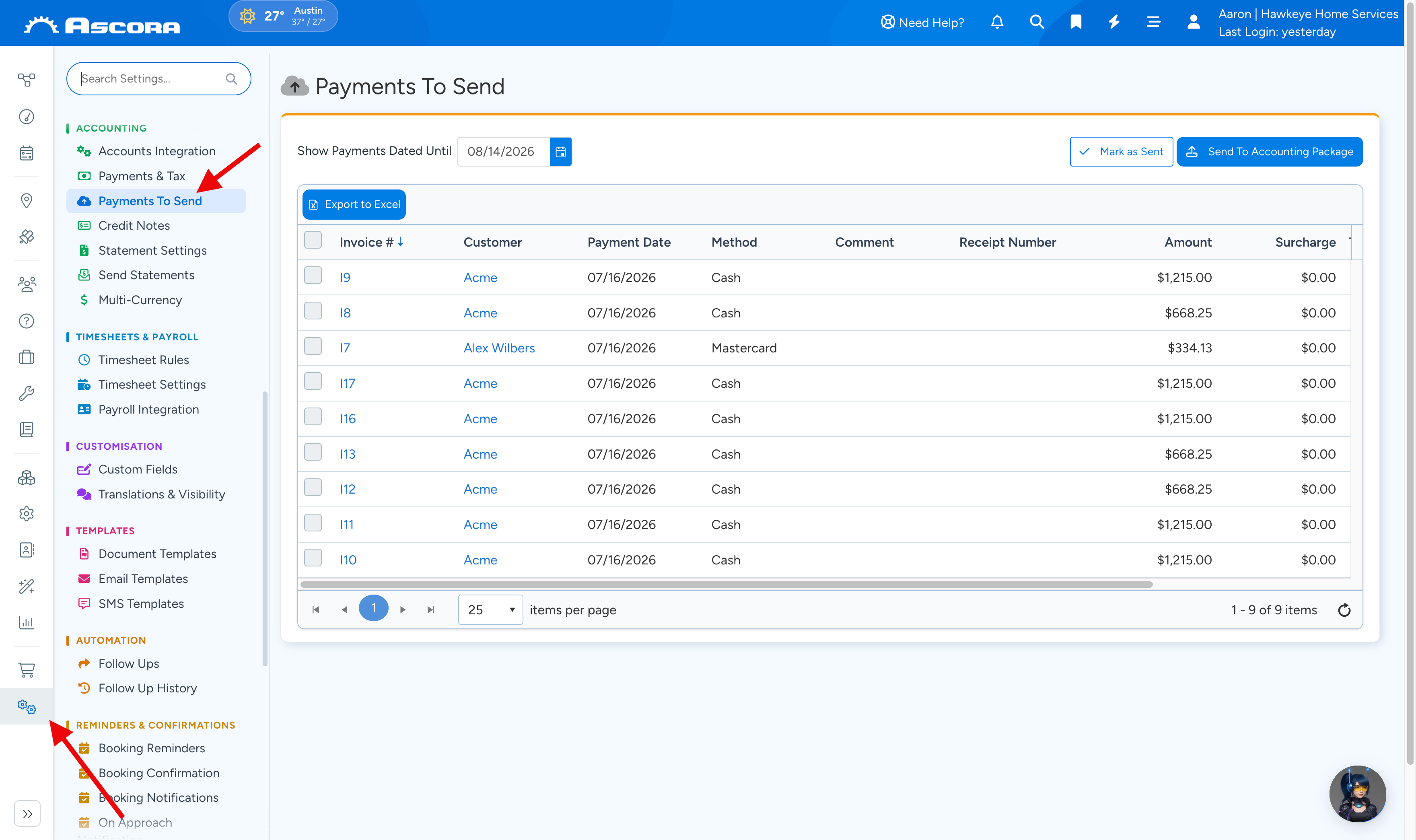
The Payments to Send section is where you can review all pending payments that are scheduled to be sent to your accounting package. You can find it under Administration > Payments to Send.
This page allows you to:
- Filter Payments by Date: Select a cutoff date to display all payments recorded up to that date.
- Send Payments: Initiate the transfer of these payments to your connected accounting package.
- Mark as Sent: Once the payments are successfully transmitted, mark them as sent so they aren’t processed again.
How to Use the Payments to Send Section:
- Review Pending Payments:
On this page, you’ll see a list of payments along with their corresponding dates. Use the date filter to narrow down the list to the payments you want to process.
- Send Payments to Accounting:
When you’re ready, initiate the sending process to transfer the payments to your accounting package. This ensures your financial records are updated accurately.
- Mark Payments as Sent:
After the transfer, mark the payments as sent to prevent duplicate entries. This step is crucial for maintaining clear and accurate accounting records.
Sub Pages
Got a question?
Submit an Idea
💡 Go to Ideas Portal
Was this article helpful?
Didn't find what you needed?
Contact support
Contact support