











📲 How to check Current Ascora App Version
Keeping your Ascora mobile app updated is essential to ensuring smooth operation, accessing the latest features, and maintaining compatibility with system updates. Regular updates include performance improvements, bug fixes, and new functionality that enhance your experience and productivity.
By checking the current version of the Ascora app used by your team, you can:
✅ Ensure compatibility with the latest system improvements.
✅ Minimize technical issues by running the latest stable version.
✅ Access new features as soon as they’re released.
✅ Troubleshoot efficiently by confirming whether users are on outdated versions.
This guide walks you through checking the app version in Ascora Web, identifying the latest available update, and ensuring your team is using the most recent release.
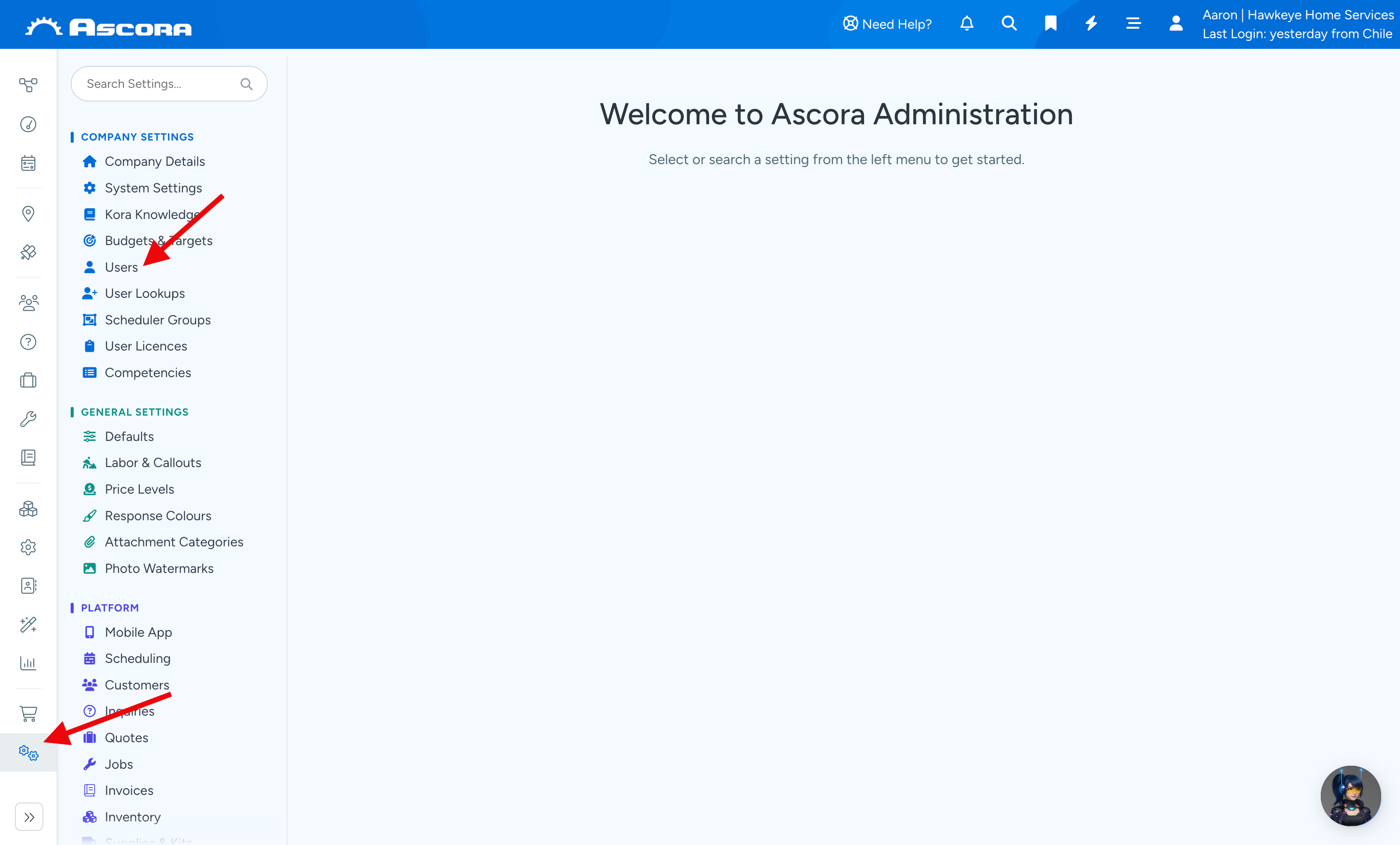
1. Go to Administration → Users.
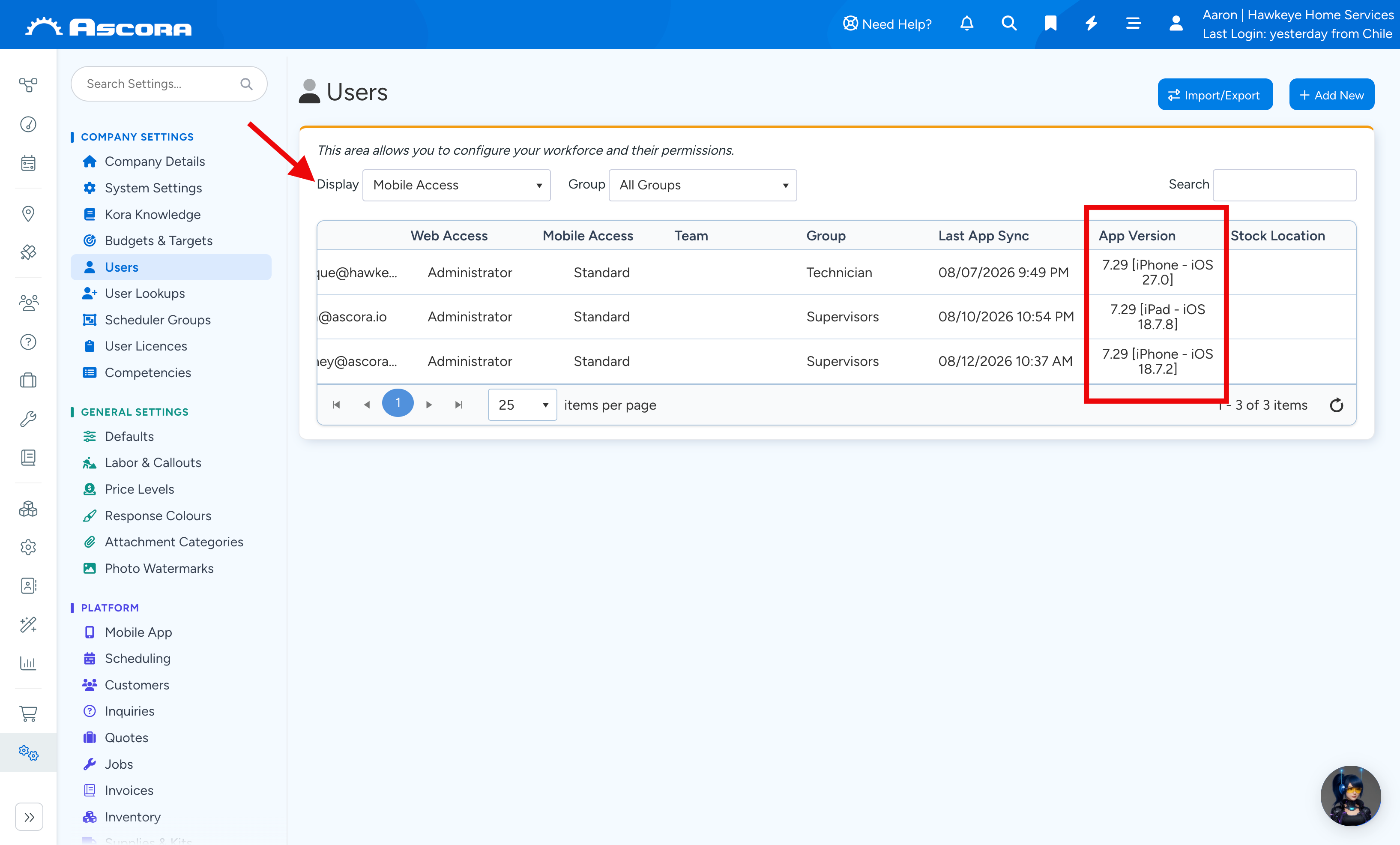
2. Change the display filter to Mobile Access and check column App Version where it displays the current version being used.
How to tell which version is the latest?
Newest versions are announced in the Release Notes section in Ascora.
1. Click Need Help? in the top navbar, then select Product Updates.
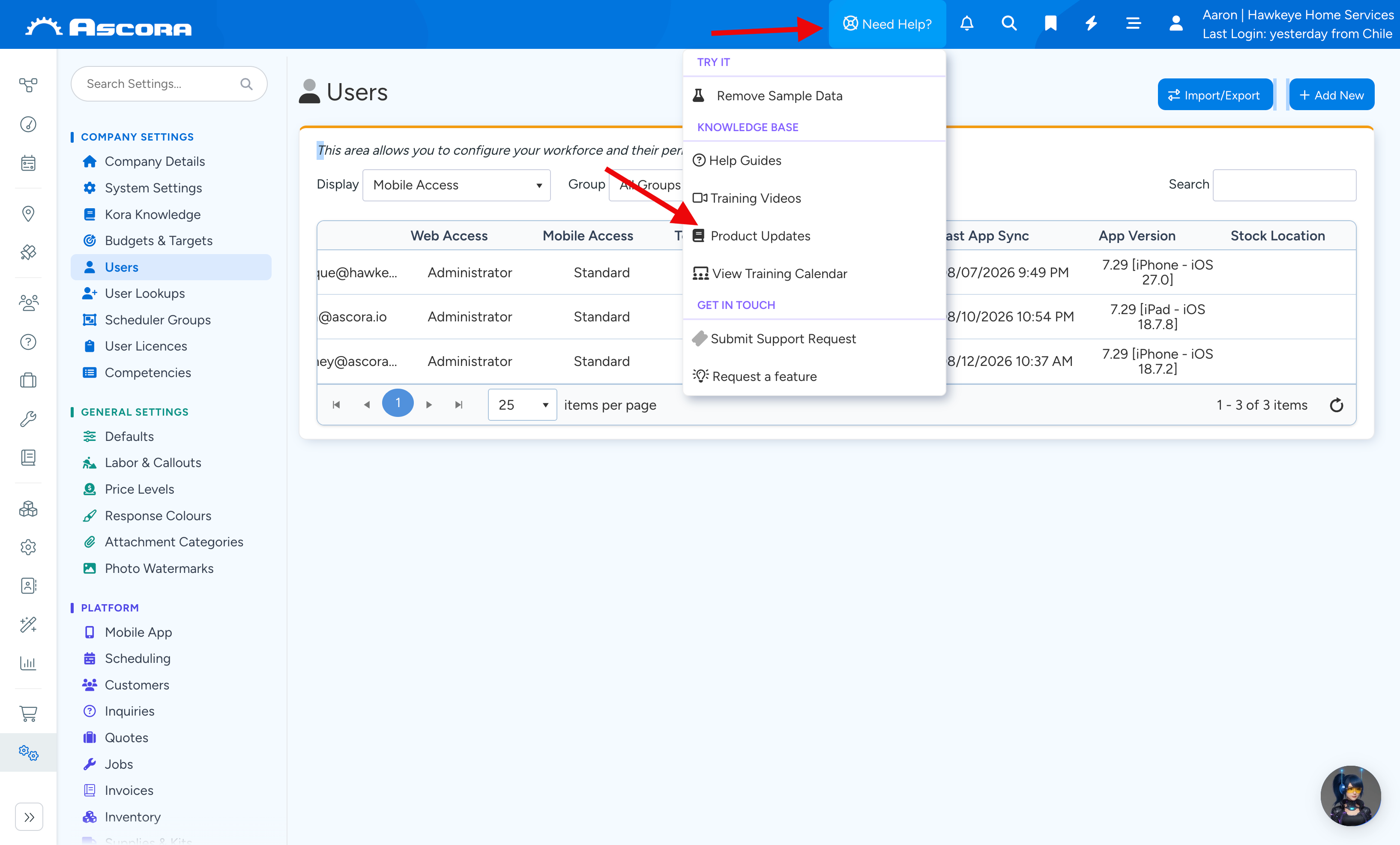
2. You'll be redirected to the Release Notes page.
When one user is using multiple devices perhaps iPhone and iPad or combination or Android phone and iPad, the information you'll see in Ascora web will refer to the device with the latest sync completed.
Got a question?
Submit an Idea
💡 Go to Ideas Portal
Was this article helpful?
Contact support