










🚫 How to Update Terms & Conditions
Keeping your Terms & Conditions up to date is essential for clear communication with your clients. Ascora allows you to upload a PDF version of your Terms & Conditions, which can be included in quotes, invoices, and statements. By centralizing your Terms & Conditions in the Company Details section, you can easily update them without manually editing document templates.
Important Notes:
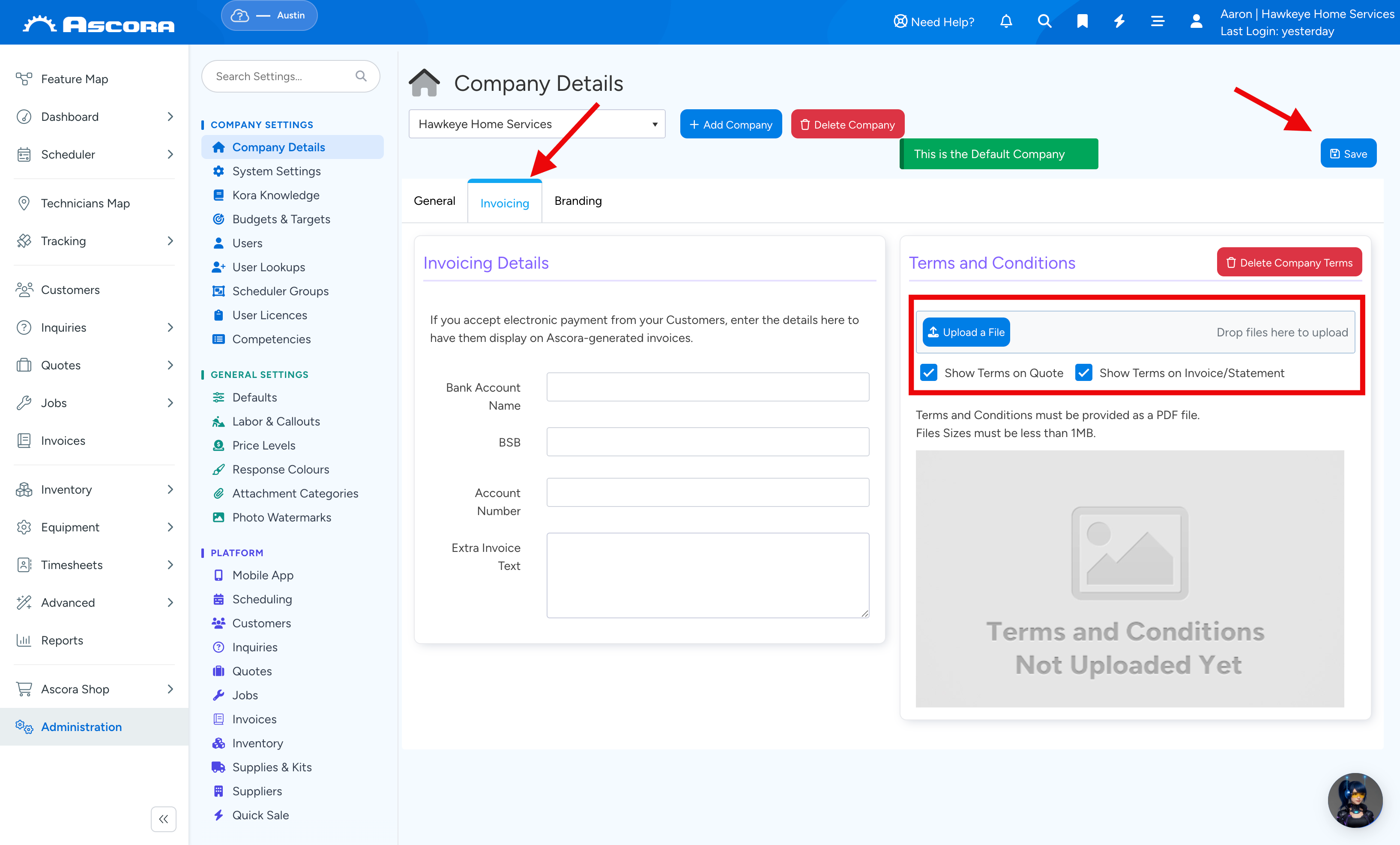
- The file must be in PDF format and under 1MB in size.
- You can choose whether to display Terms & Conditions on quotes, invoices, or statements.
The step-by-step guide below will walk you through how to upload and manage your Terms & Conditions in Ascora.
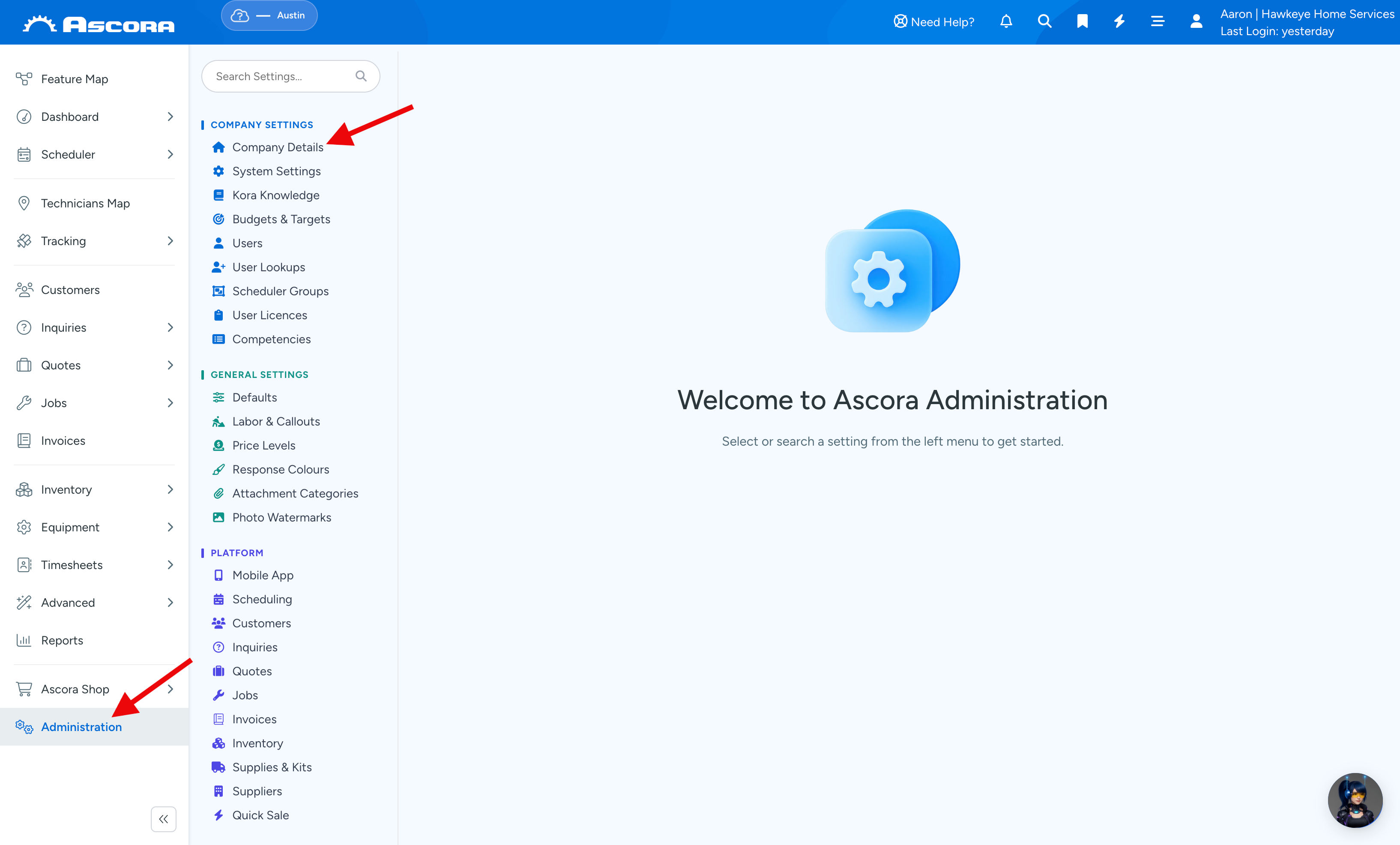
1. Go to Administration → Company Details.
2. Scroll down and find the Terms & Conditions area where you can upload your file as well as disable or enable some settings to whether show or not show your Terms & Conditions is shown in Quotes or Invoices/Statements.
Sub Pages
Got a question?
Submit an Idea
💡 Go to Ideas Portal
Was this article helpful?
Contact support