











📄 How to Edit a Custom Form Question - (Changing Answer Type)
Custom Forms in Ascora can be tailored to capture different types of information by modifying Answer Types. Whether you need users to select from a predefined list or manually enter data, adjusting the answer type ensures the best user experience.
This guide focuses on changing an Answer Type (e.g., from Multiple Choice to Text) and explains when each type is most effective. It also includes steps to test and ensure that the changes are correctly applied in the Ascora Mobile App.
- Multiple Choice answer type allows a mobile app user to select their name from a list of technicians and this is more applicable to a smaller team.
- Text as answer type - allows the a mobile app user to manually type their name when completing the custom form and this is more applicable to a bigger team where a job can be assigned to any technician so it's not efficient to have a long list of names to select from when completing the custom form.
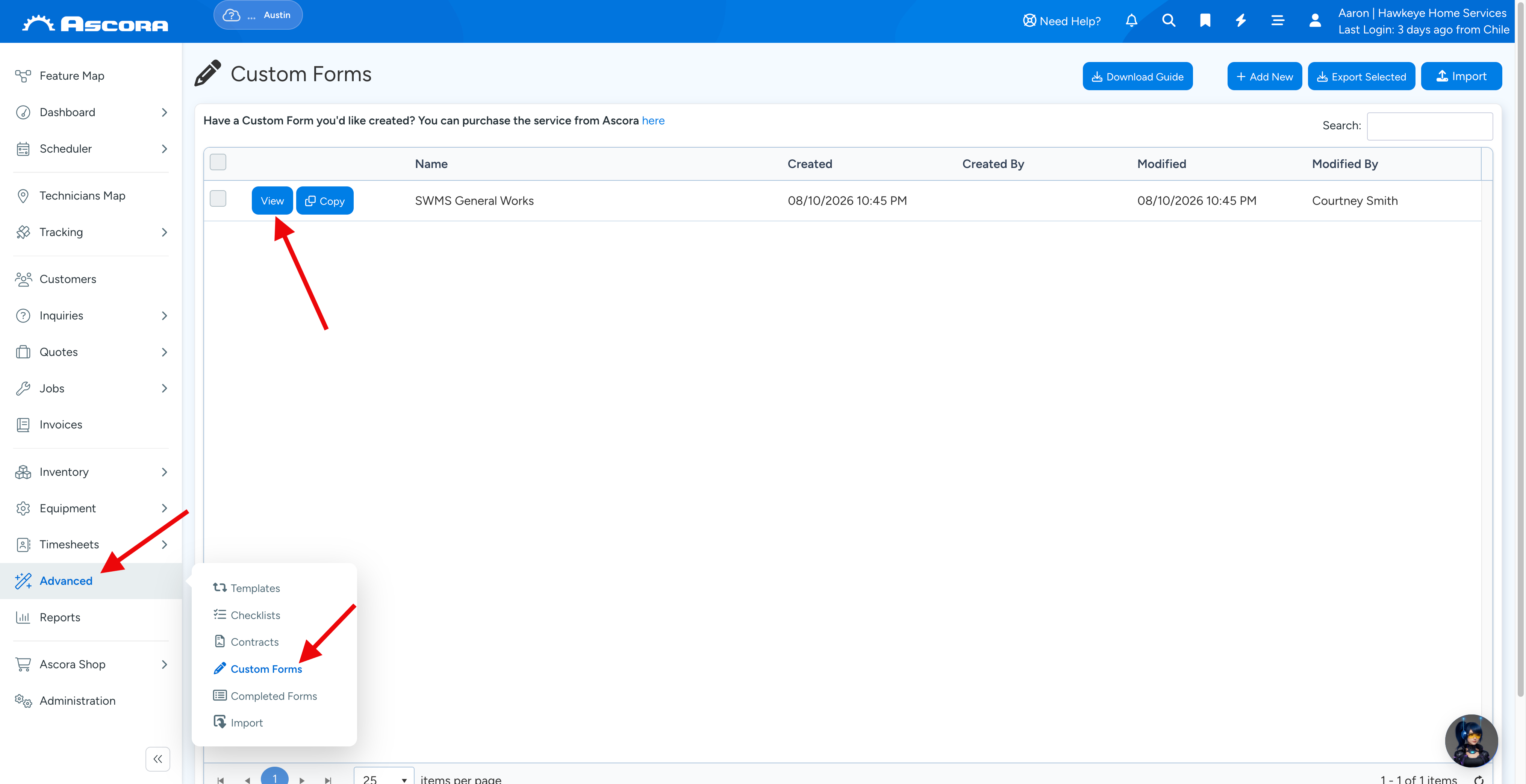
1. Go to Advanced → Custom Forms and click View for the form you want to edit.
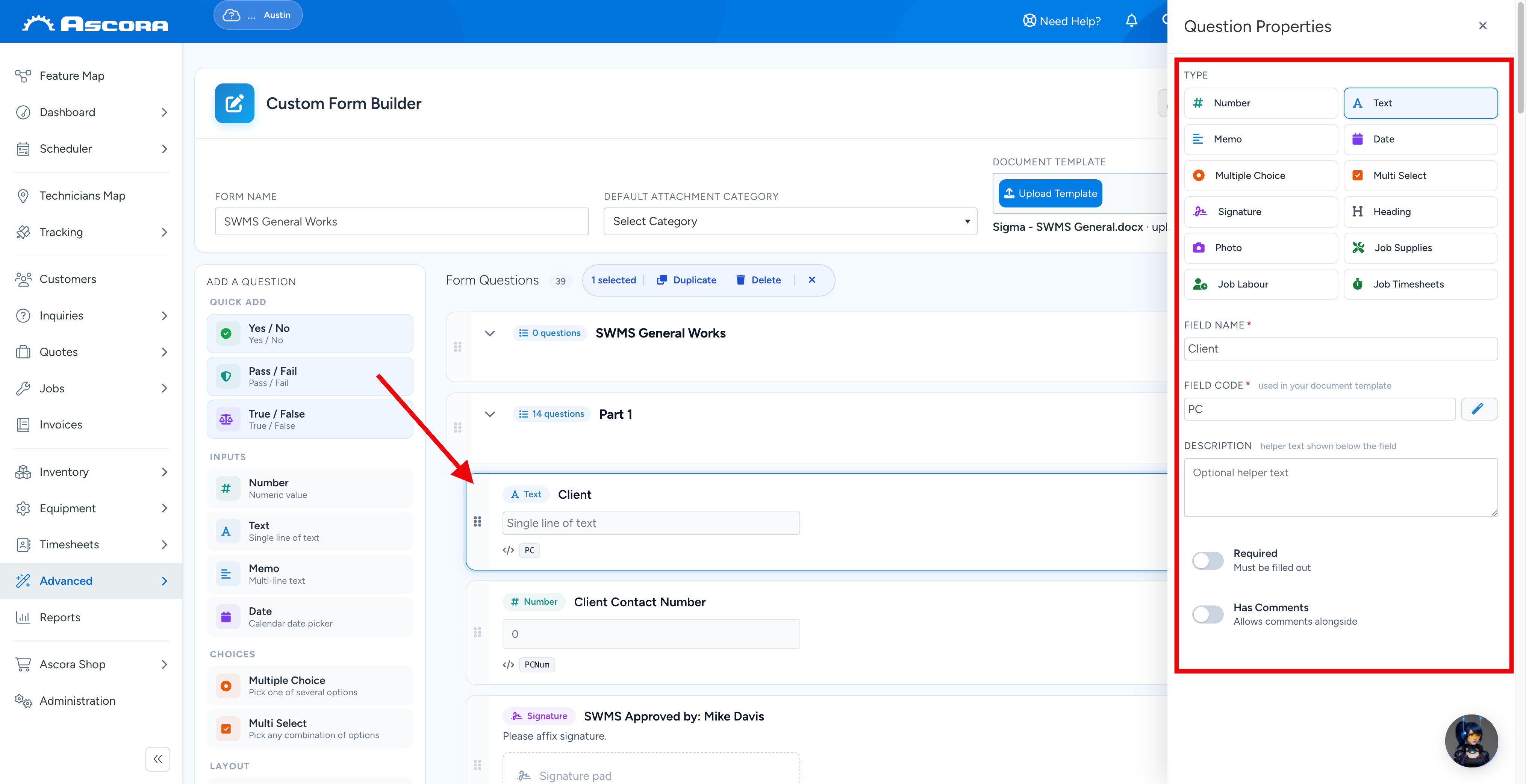
2. Click the field you want to edit and update its settings.
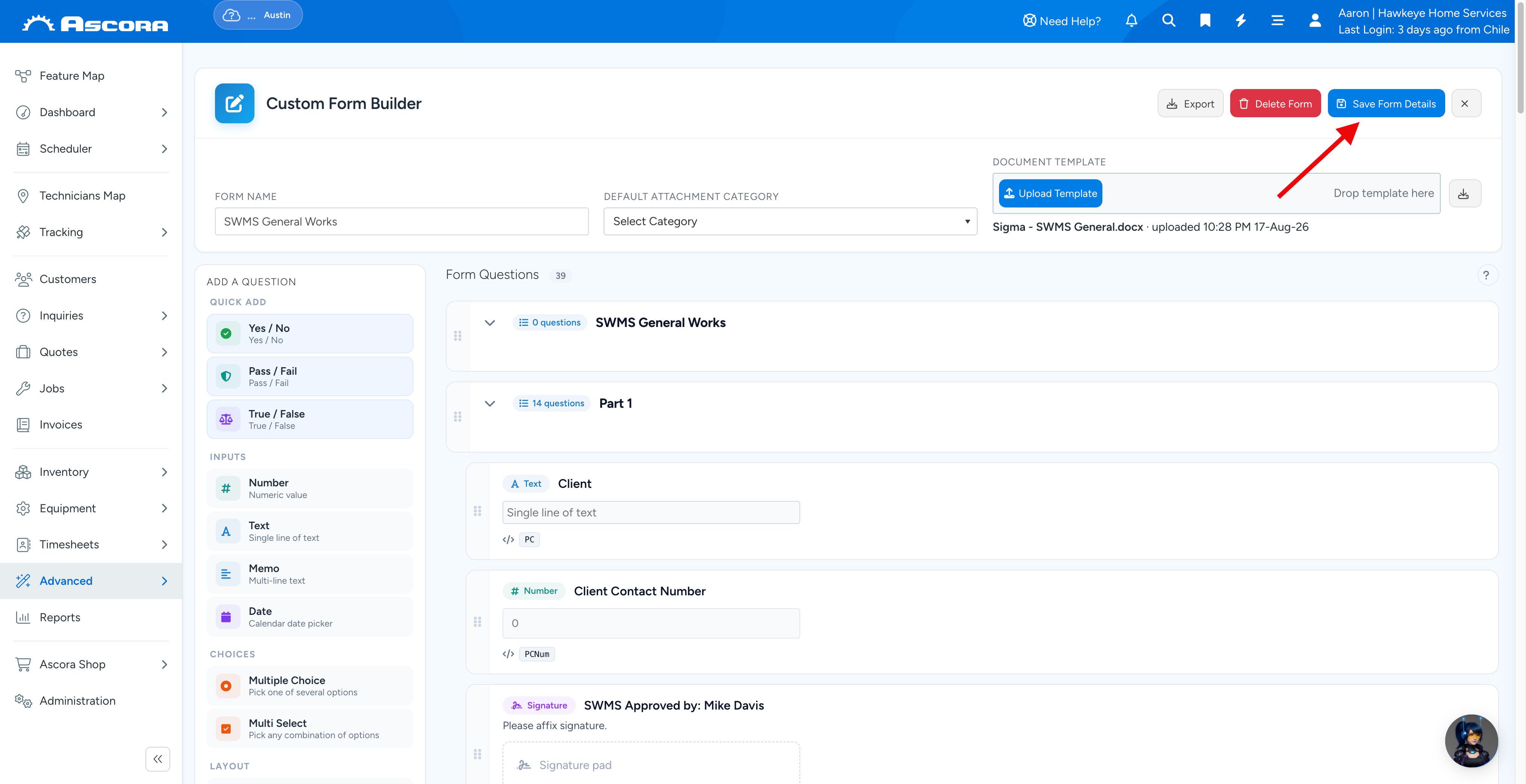
3. Save your changes.
Testing your Custom Form on your Android Mobile App
Once you've made the necessary changes in Ascora Form Question, and template if applicable, you can test it in the Mobile App by going to Custom Form tab → select the Form and test the question that you've updated.
Note: Make sure to synchronise your mobile app first before running the test.
1. Access your job from the mobile app.

2. Navigate to Custom Forms tab and tap the + button.
The form that appears should already be the updated version.
Note: Do not use a draft or previously saved custom form to do the testing. Always tap the + button to test a new one.

3. Select the custom form that you need to test and in this example, it's called Custom Form test by Ascora.

4. The following example shows the question called Technician which allows manual entry of information as we have changed the Answer Type to Text.

Sub Pages
Got a question?
Submit an Idea
💡 Go to Ideas Portal
Was this article helpful?
Contact support